
Fully Managed VS Code Server Hosting
Fully managed VS Code Server hosting means EasyCloudify provisions, secures, updates, monitors and backs up your VS Code Server stack on the cloud provider and region of your choice — so you can use VS Code Server without operating servers. One-click deploy, free SSL, daily backups, automatic patching, and 24/7 human support, from $5/mo.
Free assisted migration · 13 datacenter regions · No per-seat fees

Everything we manage on your VS Code Server stack
You focus on using VS Code Server. We operate the underlying cloud, the OS, the runtime and the VS Code Server application itself.
One-click VS Code Server deployment
Spin up a production-ready VS Code Server instance in under 60 seconds in any of our 13 datacenter regions across Europe, the Americas and Asia-Pacific — with GDPR-ready regions in Amsterdam, Frankfurt and London.
Automatic updates & patching
We track upstream VS Code Server releases, test compatibility, and roll out updates inside a maintenance window you control. Major upgrades include a rollback path.
Daily backups + one-click restore
Block-level, crash-consistent snapshots of your VS Code Server data with 7-day retention (configurable down to every 4 hours). Restore to any point in time from the dashboard.
Hardened security baseline
Free SSL on every domain, WAF + DDoS protection, TLS 1.3, AES-256 at rest, hardened OS images, automated CVE patching. GDPR / SOC 2-aligned with EU data residency options.
24/7 proactive monitoring
Health checks, log aggregation, auto-restart on failure, and pager-style alerting on the VS Code Server processes — not just the underlying VM.
Real human support, < 15 min
Our engineers know VS Code Server. No tier-one chatbots — you get direct access to people who have deployed and tuned VS Code Server hundreds of times.
Why teams choose VS Code Server
VS Code Server (code-server) lets you run Visual Studio Code as a web application, giving you a full cloud-based integrated development environment accessible from any browser.
VS Code Server
- Version: 4.19.1
- OS: Ubuntu 22.04 (LTS)
- Category: Developer Tools
Description
VS Code Server (code-server) lets you run Visual Studio Code as a web application, giving you a full cloud-based integrated development environment accessible from any browser. You can write, edit, and debug code from any device without installing anything locally. It supports the full extension marketplace, integrated terminal, Git integration, and all the customization options you expect from VS Code — served securely from your own EasyCloudify VPS.
Software Included
| Package | Version | License |
|---|---|---|
| code-server | 4.19.1 | MIT |
| Nginx | 1.18 | Custom |
| Certbot | 1.21.0 | Apache 2.0 |
Key Features
- Web-based Visual Studio Code accessible from any browser
- Full extension marketplace support
- Integrated terminal with access to your VPS shell
- Remote development from any device or location
- SSL encryption and password-protected access
- Nginx reverse proxy pre-configured
- Real-time collaboration via shared workspace links
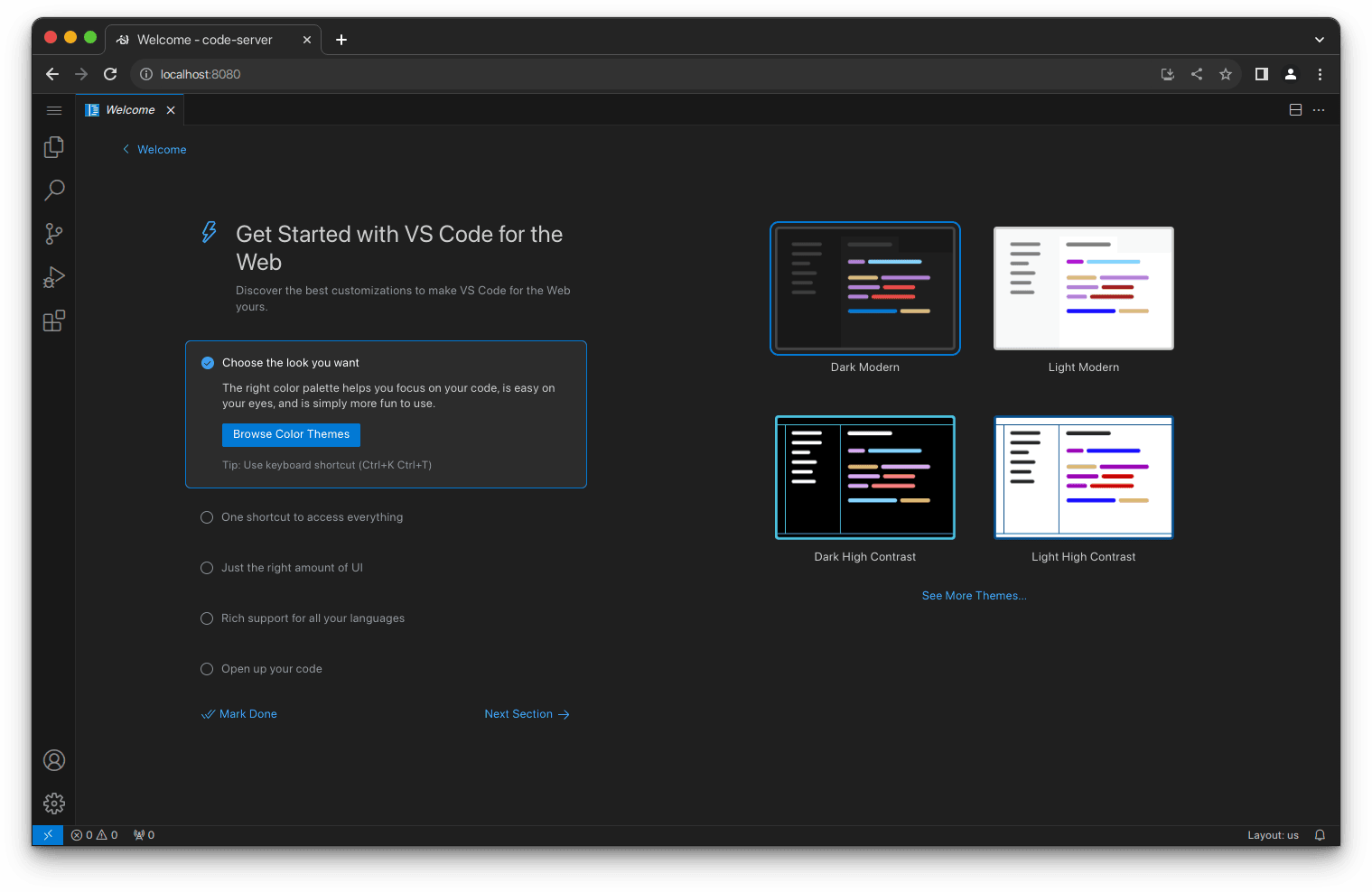
Getting Started
1. Connect to Your VPS
After deploying this app, open a terminal and SSH into your VPS:
ssh root@your-vps-ip
The login banner will display the code-server password and the URL to access the interface.
2. Access the Web UI
Open a browser and navigate to:
http://your-vps-ip
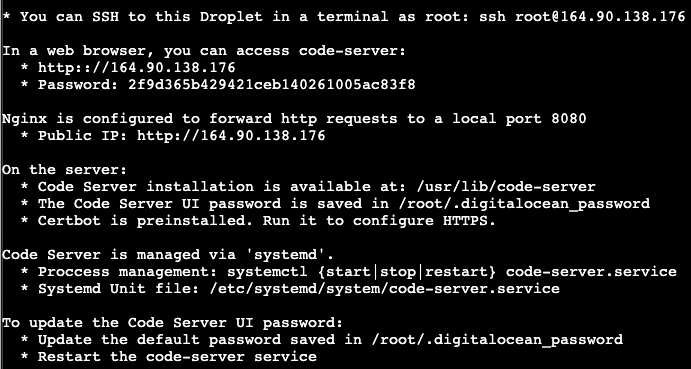
Replace your-vps-ip with the actual IP address of your VPS.
- Copy the login credentials for code-server
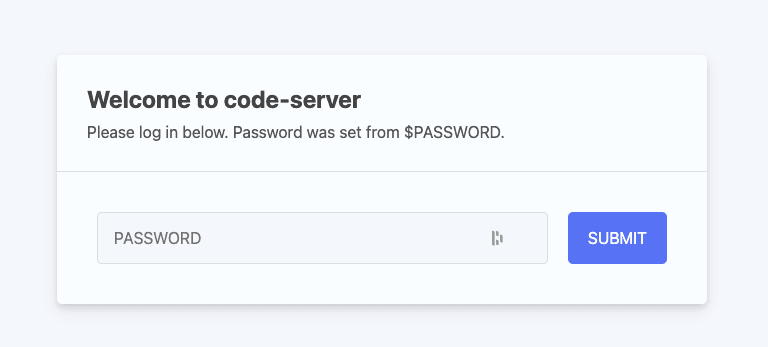
Access the VS Code Server Web UI:
- In your web browser go to http://your-vps-ip and login using the password copied in the previous step.
You are now running VS Code in your browser.
3. Secure Your Domain with Let's Encrypt
To enable HTTPS, first point your domain's DNS A record to your VPS IP, then run Certbot:
sudo certbot --nginx -d your-domain.com
Follow the prompts to configure your domain and enable HTTPS. Certbot will set up automatic renewal.
To verify auto-renewal is working:
sudo certbot renew --dry-run
4. Configure Nginx for Custom Domain
Create a new Nginx server block:
sudo nano /etc/nginx/sites-available/code-server
Add the following configuration (adjust the domain):
server {
    listen 80;
    server_name your-domain.com;

    location / {
        proxy_pass http://localhost:8080;
        proxy_set_header Host $host;
        proxy_set_header Upgrade $http_upgrade;
        proxy_set_header Connection upgrade;
        proxy_set_header Accept-Encoding gzip;
    }
}
Enable the configuration and reload Nginx:
sudo ln -s /etc/nginx/sites-available/code-server /etc/nginx/sites-enabled
sudo nginx -t
sudo systemctl restart nginx
5. Access VS Code Server via HTTPS
After completing the SSL setup, open your browser and navigate to:
https://your-domain.com
Log in with the password set earlier. You are now using code-server over a secure HTTPS connection.
Using the Interface
The left-hand Activity Bar provides quick access to the most commonly used features:
- Explorer — browse and manage your project files and folders
- Search — find and replace across your workspace
- Source Control — Git integration for committing and branching
- Run and Debug — built-in debugger with Node.js support and extension support for other languages
- Extensions — install extensions from the VS Code Marketplace
Open a terminal at any time via the Terminal menu or by pressing the keyboard shortcut shown in the menu. The terminal opens in the lower panel, with its working directory set to your workspace root.
Important Paths
- code-server config:
~/.config/code-server/config.yaml - Workspace directory:
/var/lib/code-server - Nginx config:
/etc/nginx/sites-available/code-server
Support Details
- Supported By: Coder
- Support URL: https://coder.com/contact
- Support Email: [email protected]
Resources
- GitHub: https://github.com/coder/code-server
- Documentation: https://coder.com/docs/code-server/latest/guide
- FAQ: https://coder.com/docs/code-server/latest/FAQ
- Visual Studio Code: https://code.visualstudio.com/
Why run VS Code Server on EasyCloudify instead of self-hosting?
- Self-hosting VS Code Server works — until a CVE drops, a disk fills up, or an upgrade breaks the schema. We absorb that risk for you.
- Migrating off Elestio? Same 1-click VS Code Server catalog, broader managed services, 24/7 human support and plans from $5/mo.
- No vendor lock-in: your VS Code Server data is yours, in your chosen region, exportable at any time.
- Unified billing across compute, databases, storage and email — one invoice, one dashboard.
- Inbound bandwidth is always free, SSL is always free, backups are always included.
Fully managed VS Code Server — answered
What does "fully managed VS Code Server" actually mean?
Fully managed VS Code Server means EasyCloudify operates the entire stack on your behalf: server provisioning, OS hardening, VS Code Server installation and configuration, SSL, daily backups, security patches, version upgrades, monitoring, log aggregation and 24/7 incident response. You focus on using VS Code Server; we keep it healthy.
How much does managed VS Code Server hosting cost?
Plans start at $5/mo for our serverless tier and from $5/mo for a dedicated VPS suitable for VS Code Server. Larger workloads scale up to multi-region high-availability setups. There are no per-seat fees, inbound bandwidth is free, and SSL and backups are always included.
Can I migrate my existing VS Code Server install to EasyCloudify?
Yes. Free assisted migration is included on every plan. Our team replicates your existing VS Code Server data (from Elestio, DigitalOcean, AWS, self-hosted or anywhere else), validates the cutover in staging, schedules a maintenance window with you, and stays on standby for 24 hours after go-live.
Where can I deploy VS Code Server?
You can deploy VS Code Server in any of our 13 datacenter regions across Europe, the Americas and Asia-Pacific (Amsterdam, Frankfurt, London, New York ×2, San Francisco ×2, Atlanta, Richmond, Toronto, Singapore, Bangalore, Sydney). You choose the region for data residency; we run the stack identically with the same SLAs everywhere.
Do you handle VS Code Server version upgrades?
Yes. Minor versions are patched automatically during the maintenance window you configure. Major versions are reviewed by our engineers, tested against your data in staging where applicable, and rolled out with a guaranteed rollback path.
Is EasyCloudify a good Elestio alternative for VS Code Server?
Yes — EasyCloudify is a true Managed Services Provider, which means our engineers take proactive ownership of your VS Code Server stack (monitoring, scaling, security, maintenance) instead of leaving day-2 ops to you. Plans start at $5/mo (vs $11/mo on Elestio), and you also get a native serverless platform, managed databases, S3-compatible storage and business email under one dashboard. See our full Elestio alternative comparison.
Other fully managed apps
We manage popular open-source apps the same way. Here are a few related to VS Code Server.
Deploy fully managed VS Code Server in 60 seconds
We handle the cloud. You ship with VS Code Server. From $5/mo, with free migration from your current host.